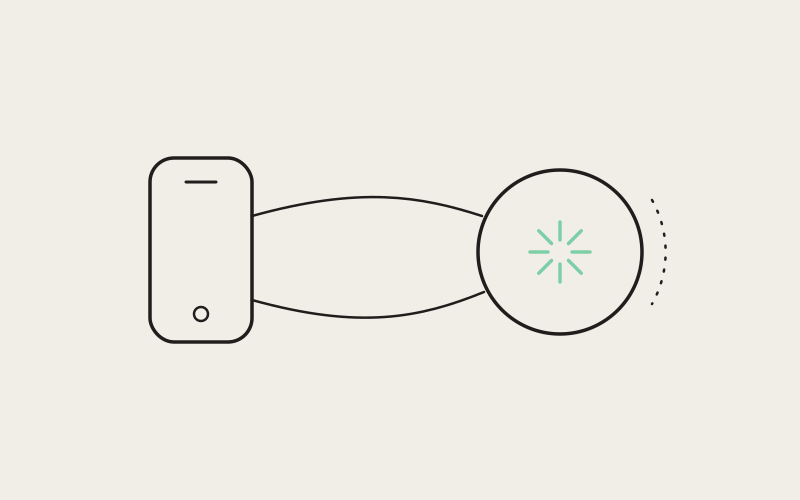
Most "mobile companion" ideas for a developer tool collapse into one of two shapes: a push notification that tells you something finished, or a live mirror of your entire desktop squeezed onto a five-inch screen. Neither is much use when what's running on your desktop is an AI coding agent that just hit a decision point and is waiting on a human. Influxx's iOS and Android companion app was built to be neither — a real control plane for the agents in your cockpit, one that lets you read what an agent did, review and comment on the diff it produced, hand it a file, or dictate its next instruction, all from a phone, without ever needing to see your desktop's actual screen.
The Two Defaults We Didn't Build Toward
The easy version of a mobile companion is notifications-only: a ping when a build finishes, a badge when an agent stops, and nothing else. It solves exactly one problem — knowing something happened — while leaving the real one untouched. An agent that's paused on an ambiguous decision, or that just opened a pull request you need to look over, doesn't need you to know it exists. It needs you to look at what it did and tell it what to do next, and a notification can't do either.
The harder, more impressive-looking version is the opposite extreme: mirror the whole desktop onto the phone, the way a remote-desktop client would, and call the problem solved. It demos well and it's almost never what anyone actually wants to use — a layout built around a sidebar, a tab strip, and a full terminal doesn't survive being scaled down to a phone screen, so a developer ends up pinching and scrolling to find the one panel they came to look at. Screen mirroring answers "can I technically see my desktop from my phone" without asking whether anyone would want to.
Influxx's mobile app sits deliberately between those two extremes. It doesn't ping and stop there, and it doesn't cram the entire desktop UI behind a pinch-to-zoom gesture. It exposes a curated set of real actions that make sense on a phone — reading what an agent produced, reviewing a diff, leaving a comment, sending a file, dictating a follow-up — and stops there on purpose.
"We didn't want to build the version where you get a push notification and then have to run back to your laptop to actually do anything about it. And we didn't want to build the version where you're squinting at a full IDE crammed onto a phone screen, either. The question we kept asking was narrower than 'what can we fit on a phone' — it was 'what does a developer actually need to do standing in a hallway, away from their desk, when an agent needs them.' That's a much shorter list than the whole desktop, and it's the list we built."
— Nina Petrova, Head of Mobile at ETAPX
A Control Plane, Not a Smaller Copy of Your Desktop
Technically, none of this is screen mirroring, and that distinction is the whole point. The mobile app doesn't open a remote-desktop session and stream pixels from a developer's machine — it pairs with the desktop app over its own real-time connection and talks to the same underlying session state the desktop app already has. What comes across that connection isn't a video feed of a screen; it's the actual data an agent session produces, rendered natively by the phone.
In practice, the app drives real, specific features rather than one generic "view desktop" mode:
- Viewing terminal and agent session output: the same running conversation and command output visible in a desktop tab, rendered on the phone as it happens rather than as a static log dump after the fact.
- Reviewing and commenting on pull request diffs: read the actual changed lines an agent produced and leave a comment on them from the app, not just a summary that a PR exists.
- Triaging GitHub issues and PRs: work through what's open and what needs a decision without waiting to be back at a keyboard.
- Sending file and image attachments into a running session: hand an agent a screenshot of a failing UI or a log pulled from somewhere else, mid-session, straight from the phone's camera roll or file picker.
- Dictating instructions by voice: give an agent its next task by talking to the phone instead of typing on a phone keyboard, which is the input mode a phone is actually good at.
Every one of those hits real desktop-side functionality — the same pull request, the same running session, the same repository — rather than a read-only view of something happening elsewhere. That's what makes it a companion instead of a window: the phone isn't watching the desktop, it's operating the same cockpit, through its own connection into it.
Encryption as a Starting Condition, Not a Feature
A companion app that can show file contents and send commands into a real codebase from a phone is security-sensitive software by definition, and we treated it that way from the architecture up, not as protection bolted on after the fact. The connection between the desktop app and the mobile app is end-to-end encrypted using Curve25519 for key exchange and XSalsa20-Poly1305 for authenticated encryption — the same pairing of primitives cryptographers know as a NaCl-style box, chosen because it's a well-understood, heavily analyzed construction rather than something built from scratch for this one use case.
Why the Pairing Itself Has to Be the Trust Boundary
The detail that matters most here isn't the choice of algorithm — plenty would have been defensible. It's where the encryption boundary sits. Because the key exchange happens during pairing itself, the private channel between a phone and a desktop doesn't depend on some outer transport being trustworthy. It's the pairing that creates the privacy, not a VPN, not a corporate network, not an assumption about who else is sitting on the same Wi-Fi. For something that can read a file or issue an instruction against a developer's actual codebase, that's not a nice-to-have — it's the property the whole feature has to stand on.
The Randomness Bug You'd Never Catch in Testing
The bug that worried us most while building this wasn't the kind that shows up in a bug report. It looks fine in every test, works in every demo, and is wrong in a way you'd only catch by reading the cryptography carefully. React Native's JavaScript engine, on the versions the mobile app runs on, doesn't provide a proper source of cryptographically secure randomness out of the box. That matters for an encryption scheme because a key exchange is only as strong as the randomness generating its keys — feed it predictable or low-entropy numbers, and the app still connects, still shows a green checkmark, still looks end-to-end encrypted from every angle a normal test would check, while being quietly weaker than it claims to be.
So the mobile team didn't assume the default was fine and move on. They wired in each platform's own native secure random number generator explicitly, feeding genuine operating-system entropy into the encryption library instead of whatever the JavaScript runtime would have handed it by default. It's a fix that produces no visible change in the app — nothing a user would ever notice, nothing that would show up in a screenshot — which is exactly why it had to be caught deliberately rather than assumed away.
"This is the class of bug I worry about most, because it's invisible by construction. If we'd shipped with the default randomness source, the app would have paired, encrypted, and worked, in every sense a normal QA pass would check. The 'end-to-end encrypted' label would still have been technically true and practically much weaker than it claimed to be. Catching it meant not trusting the platform's defaults and actually reading what the JavaScript engine was handing us before we fed it into a key exchange."
— Ryan Chase, Security Engineer at ETAPX
When App Store Review Creates Two Versions of the Truth
Desktop software updates on whatever schedule a team chooses. Mobile software doesn't — every update to the iOS and Android apps has to clear app store review first, and that review can take days. That gap makes it a genuinely common situation for a mobile app and a desktop app to run two different versions of the pairing protocol at once: someone updates their desktop app the day it ships, but their phone is still running last week's build because the review queue hasn't cleared yet.
Rather than hope that never causes a problem, every connection handshake between the two apps includes an explicit version-compatibility check. When a pairing is genuinely incompatible — an old mobile build talking to a newer desktop build with a protocol change it doesn't understand — the connection fails safely and says so, with a clear message pointing at the mismatch. The alternative would have been letting an incompatible pairing partially work: connect, look fine, and then behave strangely in some feature three steps later, which is a far harder thing for anyone to debug than a clear failure at the handshake.
A Real Terminal Inside a Years-Old WebView
Reading agent output on a phone only feels like the desktop experience if it actually renders like a terminal — proper text handling, proper scrollback, the same rendering approach used on desktop rather than a simplified log viewer standing in for it. Getting there on Android meant confronting an awkward constraint: its built-in web-view engine varies a lot by device and can be years behind what a desktop browser supports, and an app that wants real terminal functionality often has to run inside that engine rather than a modern one it controls.
That meant taking the same terminal-rendering approach used on the desktop app and making it run correctly against much older platform APIs than any desktop browser would ever need to support — the kind of compatibility work that's invisible when it succeeds and immediately obvious the moment it doesn't. The payoff is that opening a session on the phone shows the same terminal a developer already knows from the desktop, not a stripped-down approximation of one.
What "Mobile-Appropriate" Actually Means
None of these three engineering problems — the randomness fix, the version handshake, the terminal work — came from some grand mobile strategy. They fell out of taking the middle path seriously: real actions against a real codebase demand a connection that's genuinely secure, genuinely resilient to version skew, and genuinely capable of rendering what a developer needs to see. A notifications-only app would never have surfaced any of these problems, since a ping doesn't need a terminal or a codebase-level connection. Full screen mirroring would have pushed that complexity onto the desktop's existing security model instead of building one for the phone. Sitting in between is what made all three problems real — and worth solving.
"I review most of my PR diffs from my phone now, between meetings. I'm not trying to do deep work on a five-inch screen — I'm deciding whether an agent's change looks right, leaving a comment if it doesn't, or dictating a quick follow-up instruction if it's close but not done. That's maybe two minutes of actual decision-making, and it used to mean the agent just sat there idle until I got back to my desk. Now it doesn't have to."
— Grace Okonkwo, engineering lead at a healthcare startup and Influxx user
Frequently Asked Questions
Is the Influxx mobile app just remote-desktop software for my computer?
No. It doesn't stream or mirror your desktop's screen. It pairs with the desktop app over its own real-time connection and drives specific features directly — viewing session output, reviewing diffs, triaging issues, sending attachments, dictating instructions — using the same underlying data the desktop app works with, not a video of it.
What can I actually do from the app besides get notified that something finished?
Notifications are one part of it, but the app is built to let you act once you're notified: read the session output that led to it, review and comment on the pull request diff an agent produced, triage open issues and PRs, send a file or image into a running session, and dictate your next instruction by voice instead of typing it out.
How is the connection between my phone and my desktop secured?
It's end-to-end encrypted using Curve25519 key exchange with XSalsa20-Poly1305 authenticated encryption. The pairing itself establishes the private channel — security doesn't depend on trusting whatever network or transport sits underneath it.
What happens if my mobile app and desktop app end up on different versions?
Every connection handshake includes a version-compatibility check. If the two versions are genuinely incompatible, the connection fails immediately with a clear message rather than pairing anyway and behaving unpredictably later. Because mobile updates go through app store review, running different versions on each end is a normal, expected situation — the handshake is built to handle that safely rather than assume it away.
Does the mobile terminal actually behave like the desktop terminal, or is it a simplified viewer?
It uses the same underlying rendering approach as the desktop app, adapted to run inside the web-view engines Android phones ship with by default — which can be considerably older than what a desktop browser supports. The goal was a real terminal, not a simplified stand-in.
Do I need the desktop app open for the mobile app to work?
Yes. The mobile app is a companion, not a standalone orchestrator — it pairs with a running desktop app over its own connection so you can monitor and steer the sessions running there. It extends the cockpit to your phone; it doesn't replace the machine actually running your agents and worktrees.
None of this works if a phone app tries to be a smaller desktop, or settles for being a glorified alert. The reason we could put real diff review, real file attachments, and real voice-dictated instructions onto a five-inch screen is that we built the security and compatibility underneath it as its own problem, not an afterthought borrowed from the desktop app. Steering an agent from your pocket was never the hard part. Earning the right to do it safely was.